ed tech + innovation

Tag: reflection (page 1 of 1)

Google Classroom

Our presentation featured Google Classroom, as we felt we wanted a better understanding of the technology before entering schools as TOCs. I have seen it in use often at my link-to-practice, and loved the way it was used in the digital media classrooms. The students were given pages that they could customize like a webpage, and part of their introductory week was to set up about me pages featuring the music they like, and artwork that inspires them. It felt practical and I like that it gave the teacher insight into their personalities.
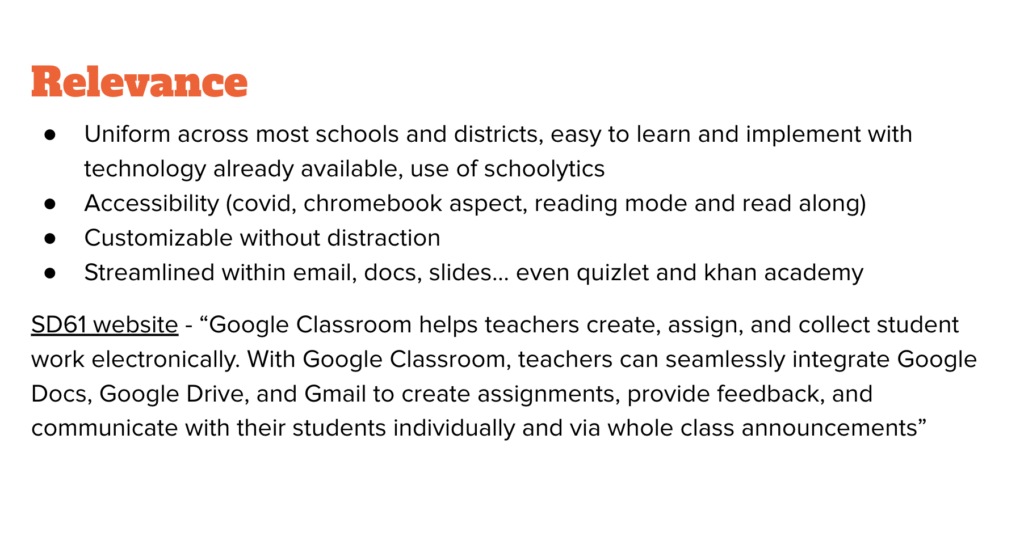
How do benefits of convenience outweigh the risk of student privacy? This feels very twisty to me, as there are legitimate concerns for privacy and informed consent through using the service, but other than not partaking (losing out on a massive convenience) there isn’t tons you can do on an individual level, especially when chromebooks are so prevalent in schools. While it may not be my number one issue as an art teacher, I sympathize with teachers who will have to/want to consider alternatives. Hanna brought up a really interesting technology now in use in California in the Montessori schools, that originated in Kelowna (like club penguin 🙂 ) that is no longer available to all teachers, which is too bad. The benefits are really clear though, the streamlined platform incorporating slides, docs, and email, while parents can be notified so easily does make our jobs easier. I was also interested in the reading comprehension tech that has been developed, and the schoolytics platform.

As Roxanne said, the age this should be used is 14 and up, and I think that it is appropriate at the high school level. However, I’m unsure as to how I would proceed if not all the students in my class weren’t allowed to use it. Especially when it comes to accessibility outside of the classroom. It seems as if SD61 is very supportive of this application, and has many useful videos available on the district’s website. I checked some of them out in my research and found them helpful and streamlined.
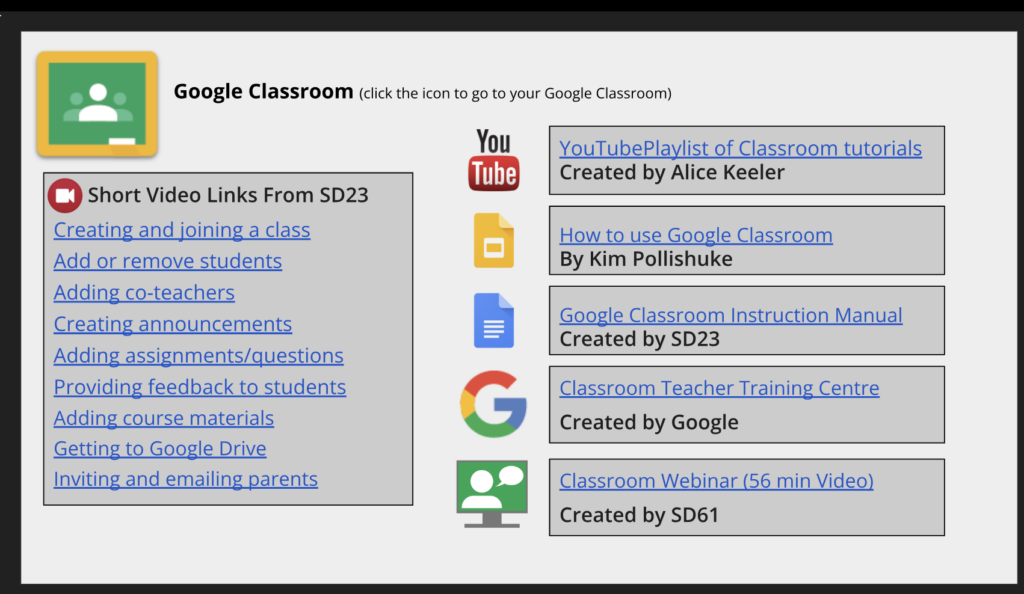
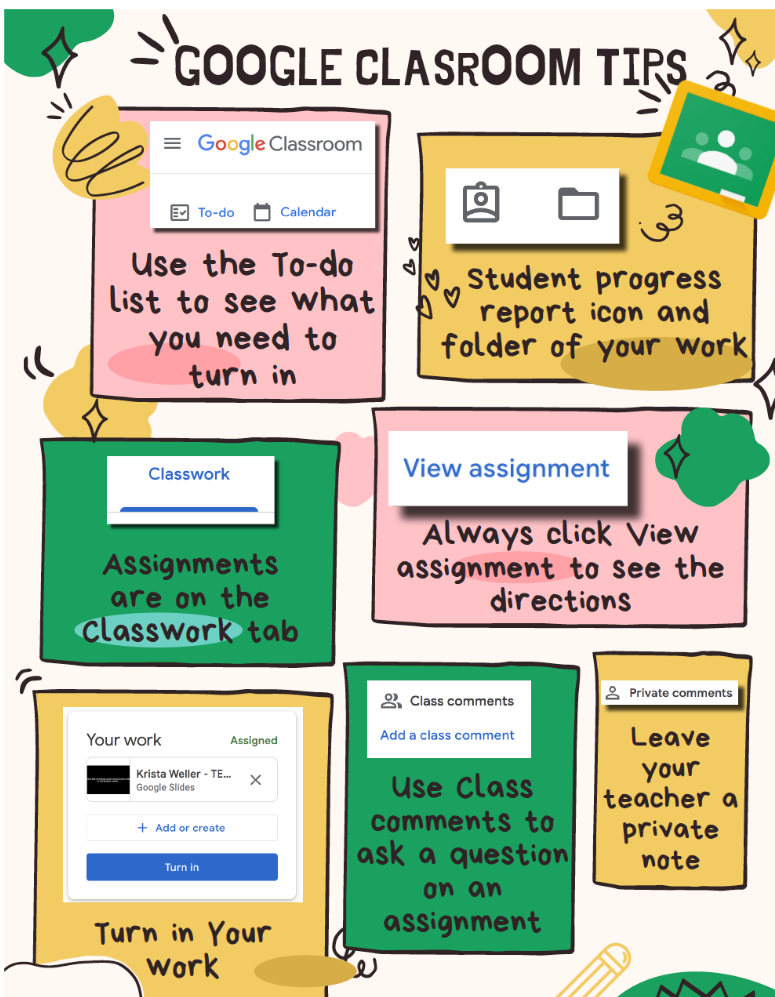
My involvement in the process was similar to the others, we all divided the slides and had two meetings to discuss the presentation beforehand. Some of the topics seemed fairly similar, but I think that relevancy and benefits are similar regardless. Our group felt supportive, and I enjoyed working with everyone. I think the conversations about google classroom may have been more conducive to learning than the presentation was. All of us were responsible for a slide and topic, and we researched accordingly. I particularly liked the Alice Keeler resource, as she seems super familiar with the technology and has made infographics for teens using the platform for the first time.
Weekly Reflection – 12

Final Reflection from Presentations – Mindmeister

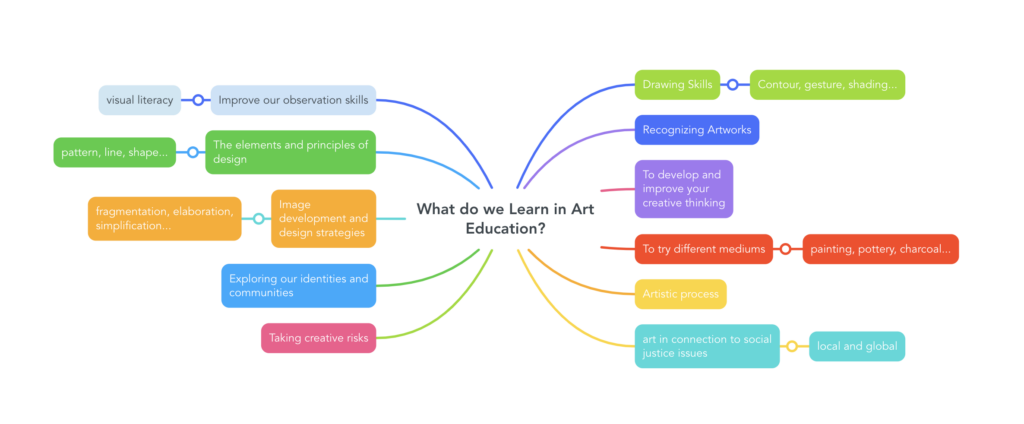
I want to focus on mindmeister, as I see myself using this technology the most out of any we were presented this week. I love brainstorming and mind-mapping for myself, and I found this site offered a streamlined and simple but effective tool I could use with students. The obvious disadvantage would be the fact there is a paid version, but as I have uploaded, I just took a screenshot of what I made. It would be a bit frustrating starting from scratch or losing a copy over time, but I think for simple lessons or getting ideas down as a group this would work just fine. I would love to know how other artists use this or plan on using the tool, as my art education map was only the first idea that came to mind. I think a benefit would be it is more permanent than just writing out ideas on the board, I could screenshot this and upload to google classroom for example. While I have come to understand this term that no one person is a visual/kinaesthetic/auditory learner, but that we all need all different types of instruction to succeed, I think I do prefer a visual, especially a slightly colourful one, and I like that it is interactive without becoming a distraction.

Here is my mind map, and the inspiration I found on pinterest from Julia Stubbs . I think the mindmeister example is much more engaging, and you can organize new ideas into it if need be. I think in creating something like this, students can see more clearly the outcomes and goals as something more interconnected than just a list from the curriculum website. I also want students to have the opportunity to tell me what they want to learn, as that is valuable information that will help me when building unit plans and what we cover during the term. Art can have a lot of choice, as long as there is direction!

Weekly Reflection – 10

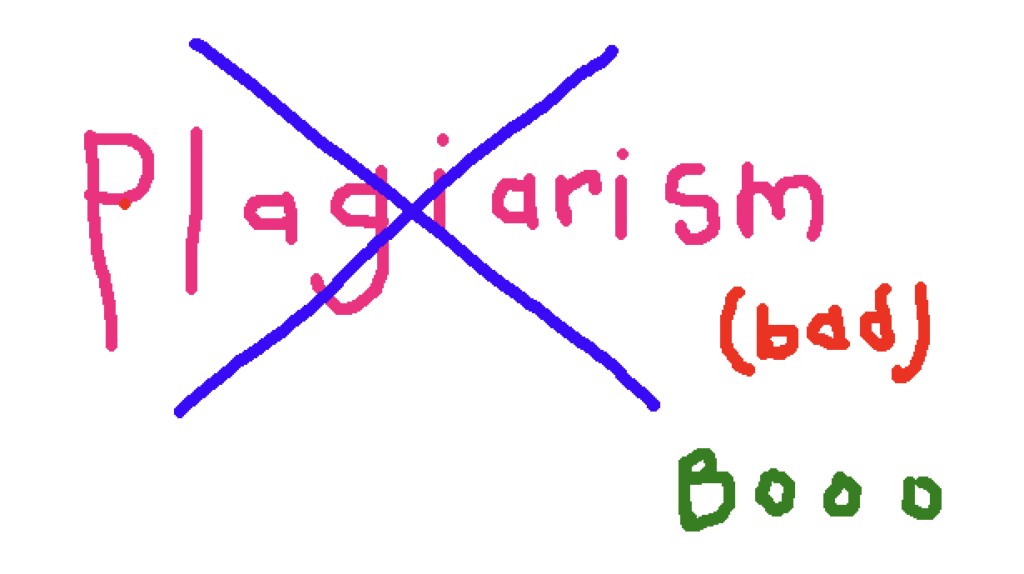
I want to focus on plagiarism and how to avoid it in education, but I think it really boils down to seeing AI as a tool. I like the idea of steering away from homework, and being able to supervise students in the classroom while they complete their work, as well as keeping the prompts and questions personal enough that it would be more difficult to have chatgpt write the response. I also want to ensure I am checking in often and giving feedback, hopefully leading to students asking questions if they feel stuck. As art is my teachable, I’m not sure I’ll see too many issues arise, as I don’t have much happening online, more in a visual journal which is often filled out in class and of a personal nature. I do want to give adequate instruction on coming up with projects, or creating interesting prompts that students want to connect with to try and avoid seeing pinterest copying, but if it is just for fun or practice I don’t see an issue with it if it is just influencing the final work. I have been using chatgpt to help me come up with titles for my unit plans, as our teacher was looking for catchy titles, something I struggle with! I found it did a great job of coming up with ideas that were appropriate for both pottery and printmaking.

I was looking for a photo to use on unsplash and typed in “plagiarism”, which did not yield any helpful results. Here is a photo I created on a microsoft paint application online instead:

WEEKLY REFLECTION – 9

AI in education seems like it will end up being crucial for lesson planning. I am excited to try out Magic School AI, and I really liked their rubric creator as this is not something I feel particularly proficient in and can use to build some confidence. This topic clearly felt like something our professor felt passionate about and I felt inspired leaving the class.

While I may not be in this exact scenario, I find it will be valuable in general to tailor essay or written questions out to be more reflective and personal, not something easily replicable by AI. I think the technology will make for more curious students, and make more a more accessible classroom, and one managed more easily if the teacher is able to do some of the planning with help from AI. This has been stressed a lot in many of our courses, but it it obvious to check what content chatgpt or magic school has come up with before implementing it, and making tweaks as necessary to ensure it feels personal and functional within our classes. I hope many teachers will be willing to go with the flow and investigate new tech instead of resisting it and struggling to adapt. I think the run down on how AI algorithms work was interesting, although I was a bit lost I think the visual helped! As far as what else we covered in class, I want to stress how much I dislike the chat bots for larger companies, and find it so frustrating when I have an issue I know they cannot help me with. It feels so far off of where it needs to be, and I don’t know how much I’d like it if it was a stronger tool, as when I have a problem I feel more comfortable with a human being helping me out- especially when it comes to health. Even my vet office has a chat bot to answer questions before the visit.

I still feel uncomfortable with the AI art and the people it comes up with. I don’t see the vision yet and am resistant based on the shared opinion of many artists I respect.

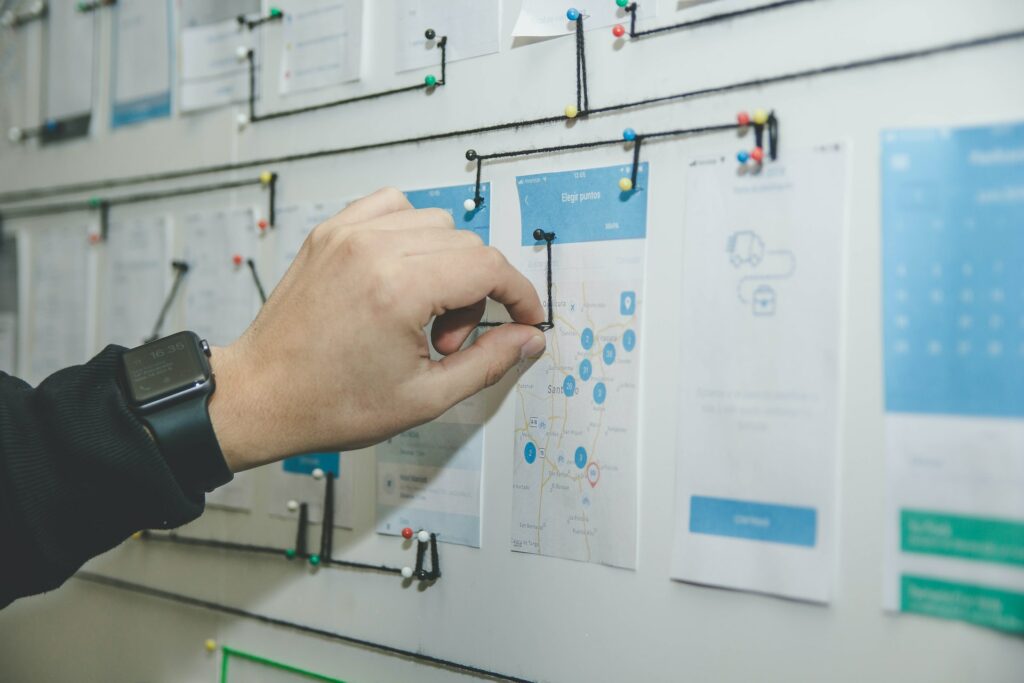
Photo by Alvaro Reyes on Unsplash

Weekly Reflection – 8

I really enjoyed the gamified internet safety walk through. I think this would be a fun thing to do with younger kids, and I got to dust off my french to try it out. The music was also very sweet and not too overwhelming! I am also curious about a specific gamified situation a peer was talking about at the beginning of term which she had used before, and I have to remember to follow up on that, I believe it was a quest situation that could unite a group of students.

Kahoot – Kahoot was not something I had played before coming to this program, and I love it. I understand it is not always appropriate, and sometimes name moderation is required, but I find the competition between my peers is really exciting and gets me more woken up at the end of the day on Wednesdays. Tech in art isn’t always super obvious or something that we can all do together, but I love the idea of making an introductory jeopardy art theory game, or kahoot situation. While it isn’t tech, I like the simple act of folding a paper into three, and having students create parts of their creatures body in a collaborative and often silly way (exquisite corpse). This is something I did from middle school all the way into an intro drawing course at University, and it unified us and got us to loosen up. Learning should be fun, and collaborative, and even exciting. When it is fun, I think mistakes matter less, as the stakes feel lower and often students are able to lose some inhibitions when they join in. I think as I’ll likely be a teacher on call for some time, I’d like to have some educational games tucked in my tool kit for an easy entry point and connection within a classroom.

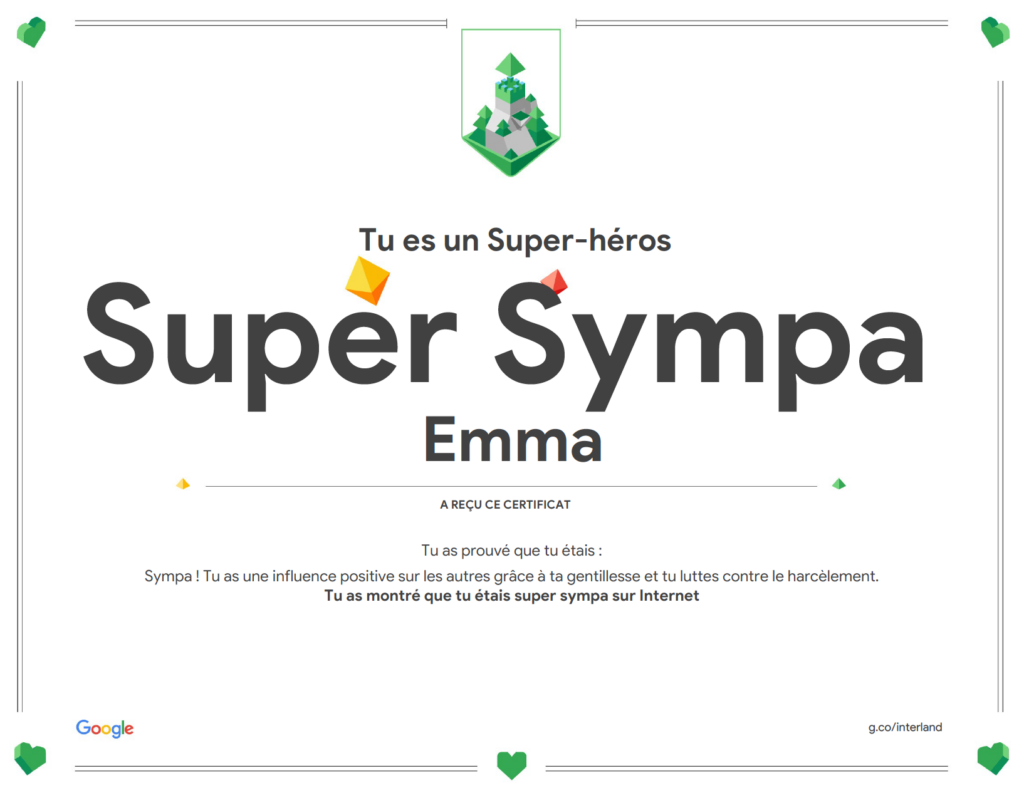
Feeling good about my game win on Interland, even if it made my computer heat up and sound like it was about to take off.

Weekly Reflection – 7

I want to reflect on what I’ve learned so far when it comes to IEPs, and what we were shown at link-to-practice as I had heard the term so often in classes but hadn’t seen the physical paperwork yet. While I think that beginning to have students advocating for themselves and their learning is so crucial, I believe we should be considering a wide range of abilities to begin with while we plan our units. Art is often seen as a more accessible subject, and I would like to ensure I considering diverse learning needs, especially when I am presenting foundational art techniques, tools, and concepts. Art really is for everyone, and the room itself is often seen as a safe space. It can do wonders for mental health, and learning fine motor skills, as long as I am coming from a place of understanding and allowing for accommodations to be made. I’ve reached out for more help on this from my art teachable prof, as I’d like to hear what she recommends when it comes to creating accommodating lesson plans.

I found the conversations during class time to be really insightful, I think we are all going to be very aware of our place in ensuring we create lesson plans and spaces that can be enjoyed by all. I know I have had some difficultly in finding accommodations from the university and I will take that experience and let it inform how I interact with students. In my last reflection, I spoke about how technology over the pandemic was helpful for those who may find it challenging to be in class everyday, and I would like to implement what I have learned in this class to make my content accessible for students of diverse learning needs. As far as voice to text goes, I strongly dislike using it. I find it difficult to reflect as I speak, and text usually solves that for me. Many seniors in my life use it and love it, but I think it can be extremely frustrating for those with accents (my grandma, and my landlord both struggle with this).

Weekly Reflection – 6

https://unsplash.com/photos/cckf4TsHAuw?utm_content=creditShareLink&utm_medium=referral&utm_source=unsplash

Virtual learning as a whole has been beneficial in considering who is able to learn traditionally in a school setting and who might not be. There are many factors to consider when we think of who might be excluded from an average university experience, and how we can adapt classes and courses to be more inclusive and accessible for all. While I often missed the connection in class during the lock-down/quarantine, I felt a sense of ease when it came to school as suddenly I was able to roll out of bed and join in, skipping the commute. Certain courses I felt it was necessary to be in class for, as I needed access to resources on campus to ensure I was getting my moneys worth (film photography wasn’t the same with no access to the dark room and needing to pay for London Drugs to process my film). I think at the very least during a lecture based course that it should be easy to access voice recordings from the classes if one misses due to work, sickness, or mental health. Many of my instructors who have taken the time to accommodate this need said it has been no big deal, and is fairly simple to continue doing.

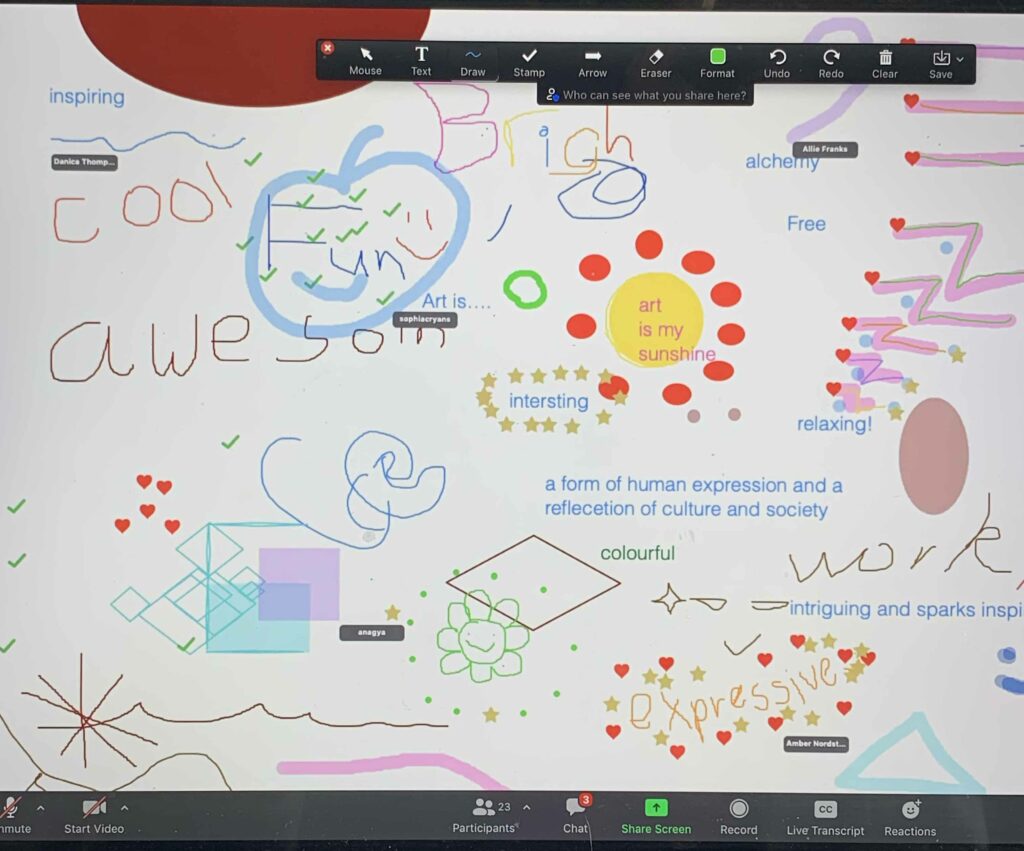
I struggled to care about my painting courses (3 hours once per week) when they were online. It was an uncomfortably long time to spend staring at a screen, and lacked a lot when it came to critiques of our artwork. On the other hand, I was able to attend more artist talks that took place during the evening due to the zoom component, as I found I wasn’t always up for leaving my house at that time after a full day of school/work. I think there is a lot of flexibility required when it comes to teaching and learning, and it is best to be able to incorporate these practices as we want to meet our students where they are at, and ensure they have resources available even if unable to attend consistently for any reason. As far as resources go, I saw the whiteboard function on Zoom used often in Art Education, and we spent time researching the beautifully archived pieces available online through many galleries. It may be a bit dry to go through as a class, but there is so much to explore, I often take inspiration from the Tate site. Attached is a photo of a whiteboard from art ed 103 I took during Covid. I loved the interactivity and obviously liked it enough to take a photo.

Weekly Reflection – 5

This is an image I had Microsoft bing designer make for me based on the prompt “pencil crayons spread out on a white background” and I find it interesting how many extra bits and pieces the generator added in. Most of them are somewhat stationary/office supplies but a bit distorted and unrecognizable. I haven’t used AI generators much, besides for some goofy things with friends. I don’t know if I like it much, and I read a quote recently that was in regards to AI written content but an illustrator shared it but have now lost the exact post… but it captures the idea of why should I spend time reading something/looking at something no one had the passion to actually create. I think that stuck with me, and I know there are some other issues surrounding how art is sourced from online as far as AI goes and many creators are finding it frustrating. As I will be teaching art, I would like to get a better handle on my photoshop skills, and will likely be incorporating many visuals within my courses. Even if it isn’t as polished, I would often rather see someone’s genuine attempt at creating something over what could be created at the press of a button and a prompt. I do find the Microsoft designer is a bit more polished and more focused on font/design elements more appropriate for a presentation, which I think is helpful.

Weekly Reflection – 4

Screencastify/Screen Recording

I have seen this technology in action, successfully, at Royal Bay in the media courses. Instead of taking the time to record it outside of lesson time, the teacher simply records during the class, and uploads it to the google classroom after the students return to their computers. It isn’t as pretty as it could be, but it functions all the same as the students have access to it anytime to review exactly what was taught in class. I had some issues with converting the recording to an mp4 file, but I know what to do for next time. I may have missed it on the plug-in, but I was hoping to see graphics that could be added in such as arrows and such. I’ll likely practice this a bit going forward as my first attempt was a bit clunky, and I think it will be very useful when I am teaching. I would also like to set up a camera on a tripod and create similar videos but with tactile painting and drawing techniques, but also then use the plug-in to make it more interactive. The photoshop demos shared at Royal Bay don’t often feature an interactive element, but are an important tool regardless as photoshop has such a wide scope of possibility and it can be an overwhelming tool to learn as so many functions seem to hide. It is something that must be practiced rigorously (in my experience).

The flipped classroom model really spoke to me, as this would have been something helpful while I was in school. I’d like to use this model as well as students can be responsible for their learning and we can get right into it during class time. I think as long as there are reminders for students (I struggle with remembering small tasks, like watching a quick video…) before the lessons then it will be a great tool. I’d love it if the students came to class with a question, maybe something I can help answer or a classmate can assist them as well.

Link to my demo – I wasn’t entirely sure how to save the interactive video to my computer, and the summary piece confused me a little bit as it seemed unavoidable.

week 1 – reflection

While I have used Squarespace (https://www.emmapyle.com/) and Wix before, WordPress is new to me. Compared to the other two sites, I found it to be the least intuitive so far. I am still not entirely sure if I am going about the first blog post entirely right or in the correct section, but we will see shortly! I like being able to customize each piece of the site but I am still hoping to change some colours up. Mattermost seems like an interesting platform, the design really reminds me of Discord, which I find has a lot of functions, many of which I have not utilized before as my understanding of it is limited. Looking forward to gaining more competency at website navigation as I would ideally like to have a landing page and website for classwork, including links to resources for students and parents. Being organized is important to me, and I was also shown another platform for homework assignments from another student called MyHomework, which has an app for both desktop and phone to keep track of assignments and such.